Farm management software
Run your whole farm from one screen
Nursery, water, crop schedules and harvests in one place, shared by you, your agronomist and your ground team. Free with every farm Kryzen builds.
Modules
Four modules, one farm
Each module comes with its own explanation video, here and inside the software. Screenshots are from the live system; customer names and numbers are hidden.
Module 01
Nursery management
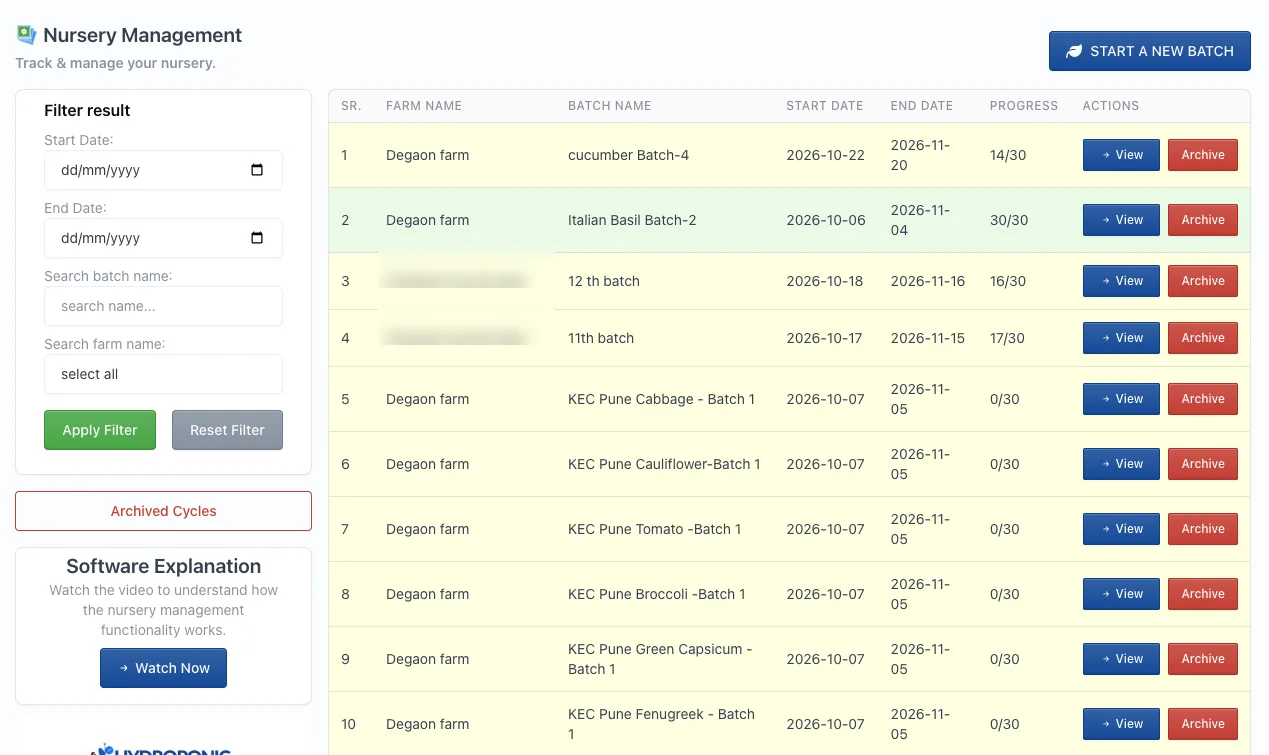
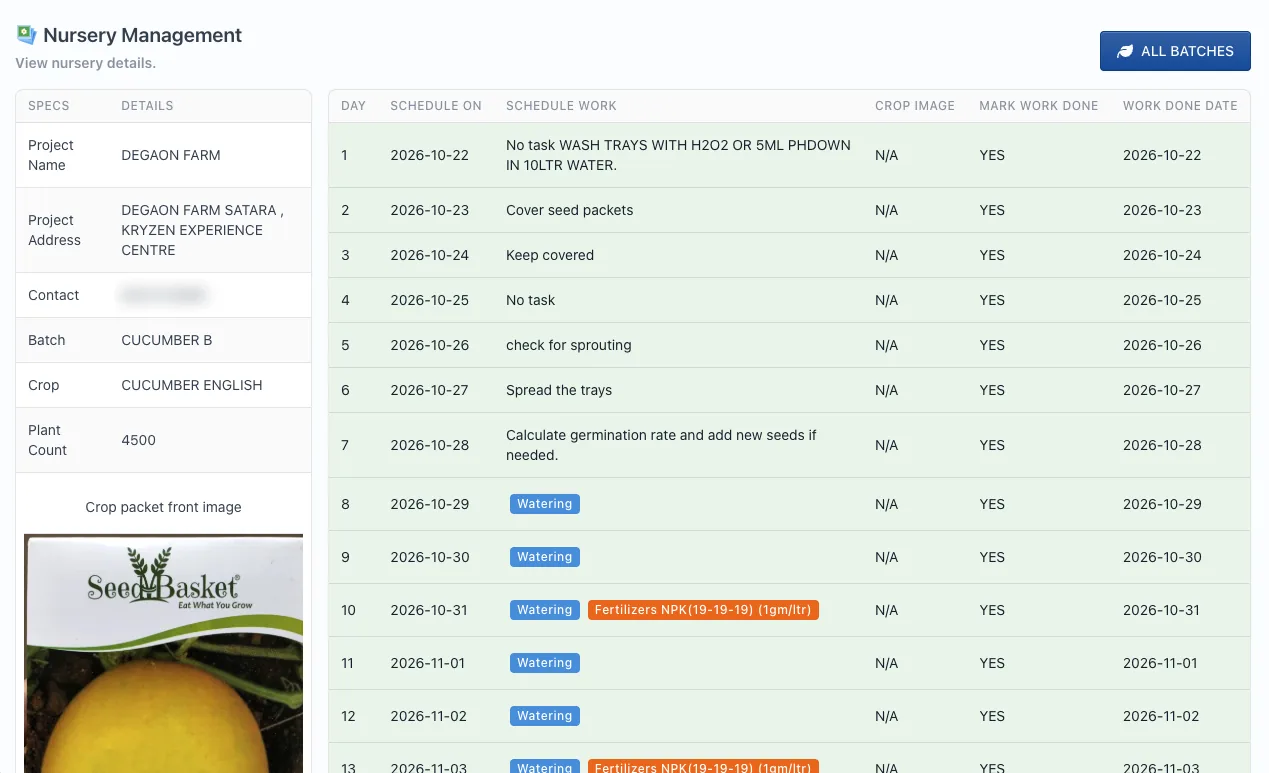
Start a nursery batch for each crop and get a day-by-day plan from sowing to transplanting, so healthy seedlings are ready on the day you need them.
- Day-by-day tasks: tray washing, covering seed, sprouting checks, spreading trays
- Germination rate check, with a prompt to re-sow gaps
- Watering and fertiliser doses, such as NPK 19-19-19 at 1 g per litre
- Seed packet photo and plant count saved with every batch
- Mark each task done; progress shows as days completed
Nursery management: how it works
Module 02
Water management
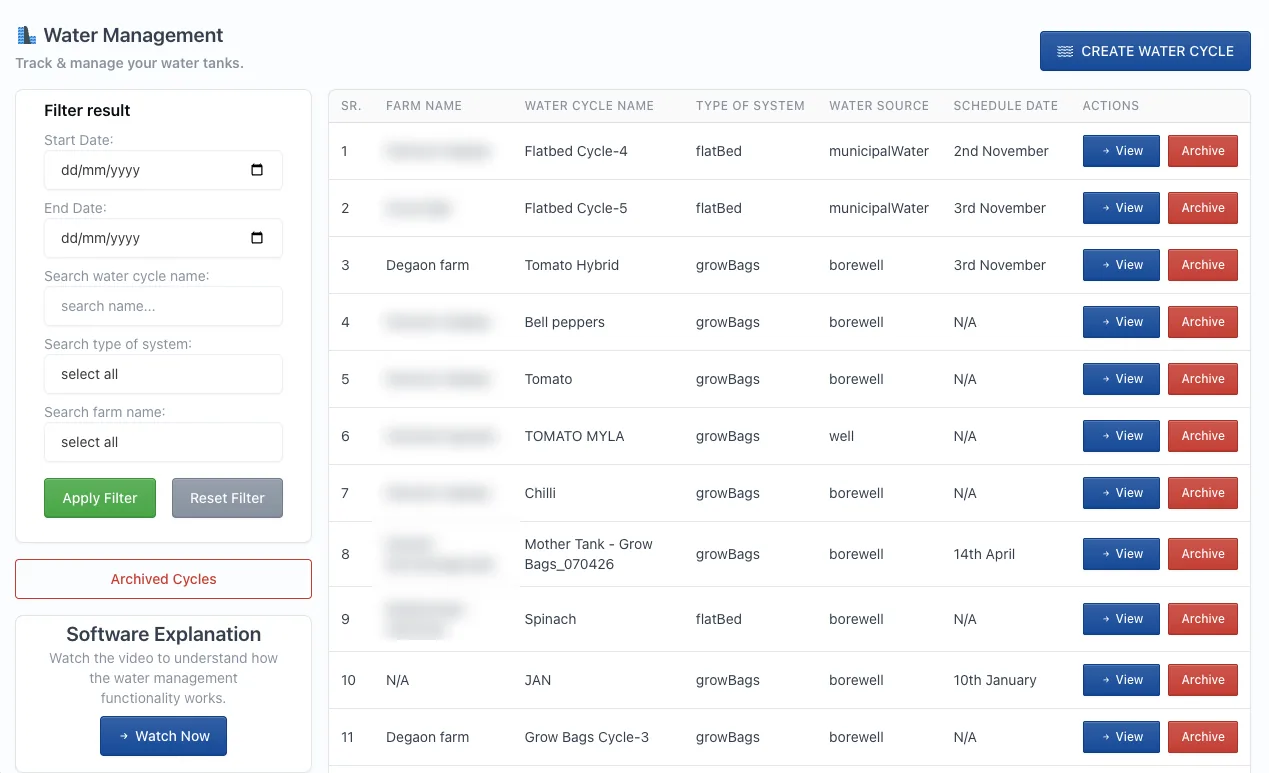
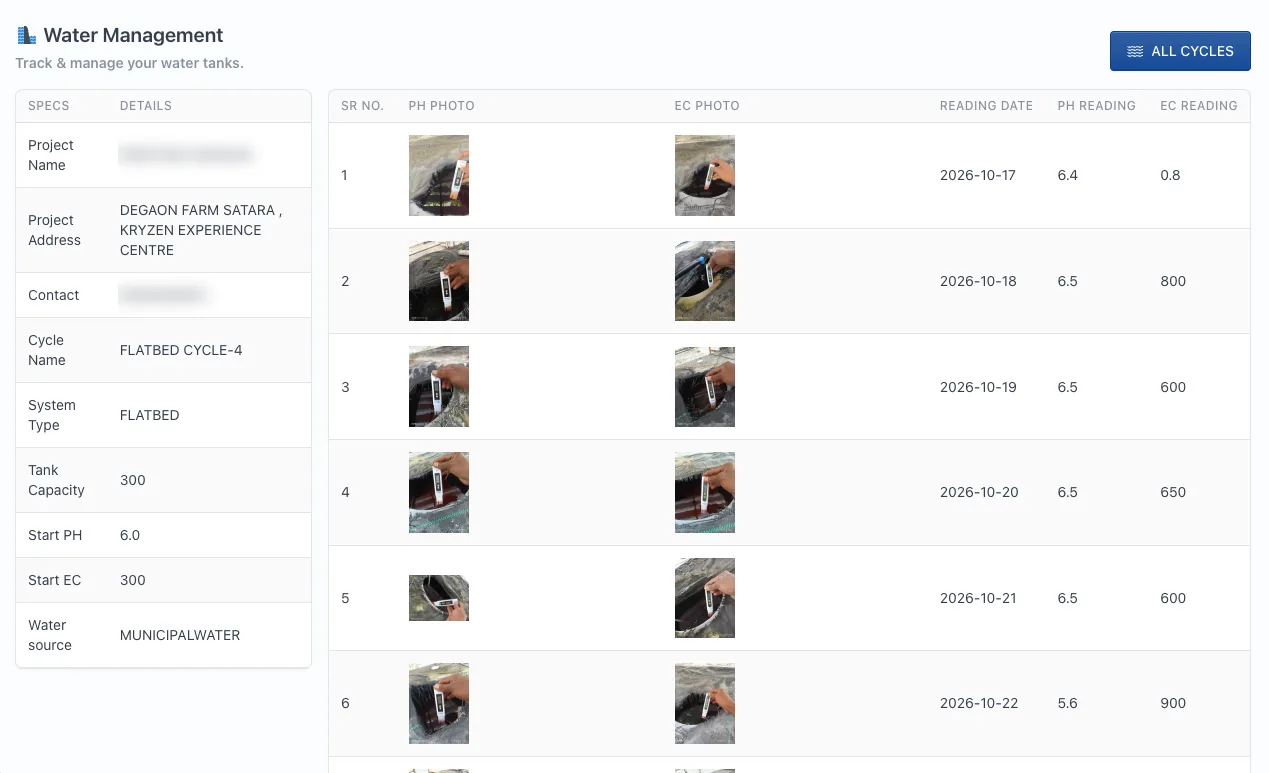
Track every nutrient tank as a water cycle. Your team logs pH and EC every day with a photo of the meter, so you know the reading is real.
- One water cycle per tank and system: flat bed, grow bags or NFT
- Records the water source, tank capacity, starting pH and EC
- Daily pH and EC readings with photo proof of the meter
- Spot drift early and correct it before plants are stressed
- Full history of every tank, cycle after cycle
Water management: how it works
Module 03
Crop schedule
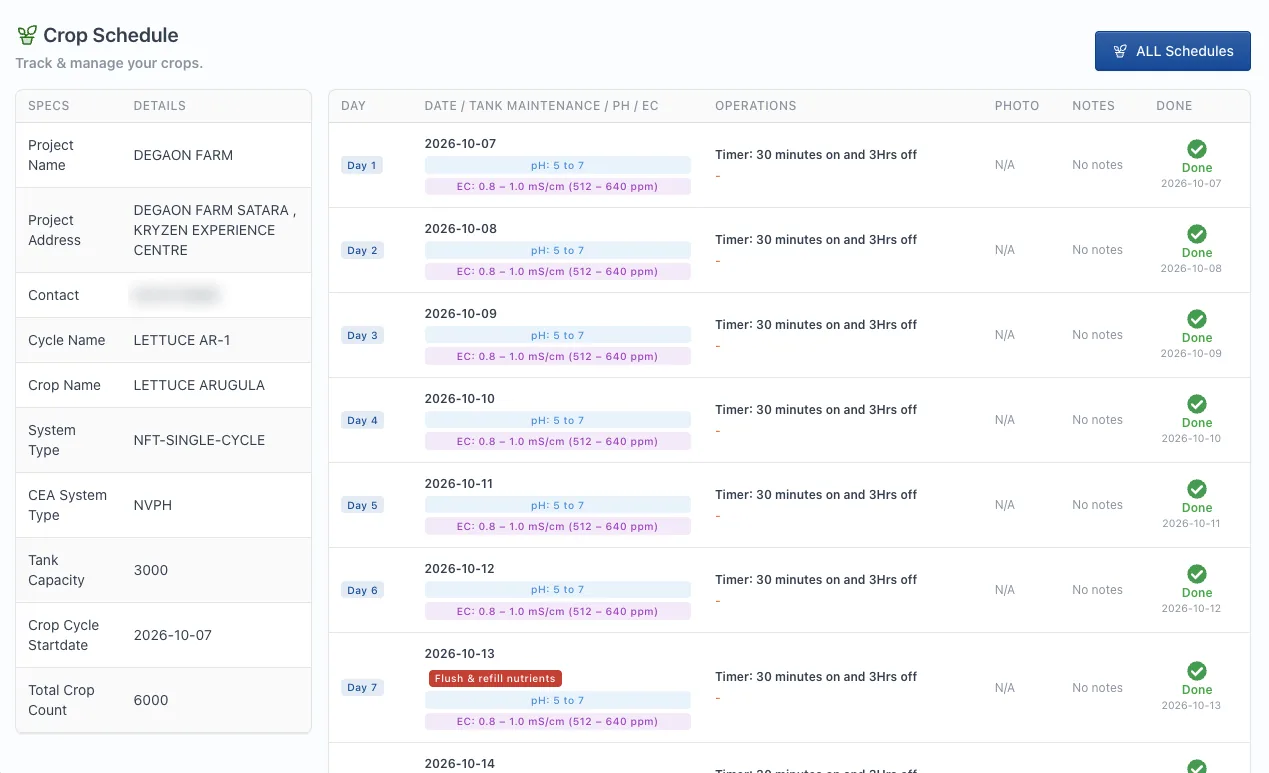
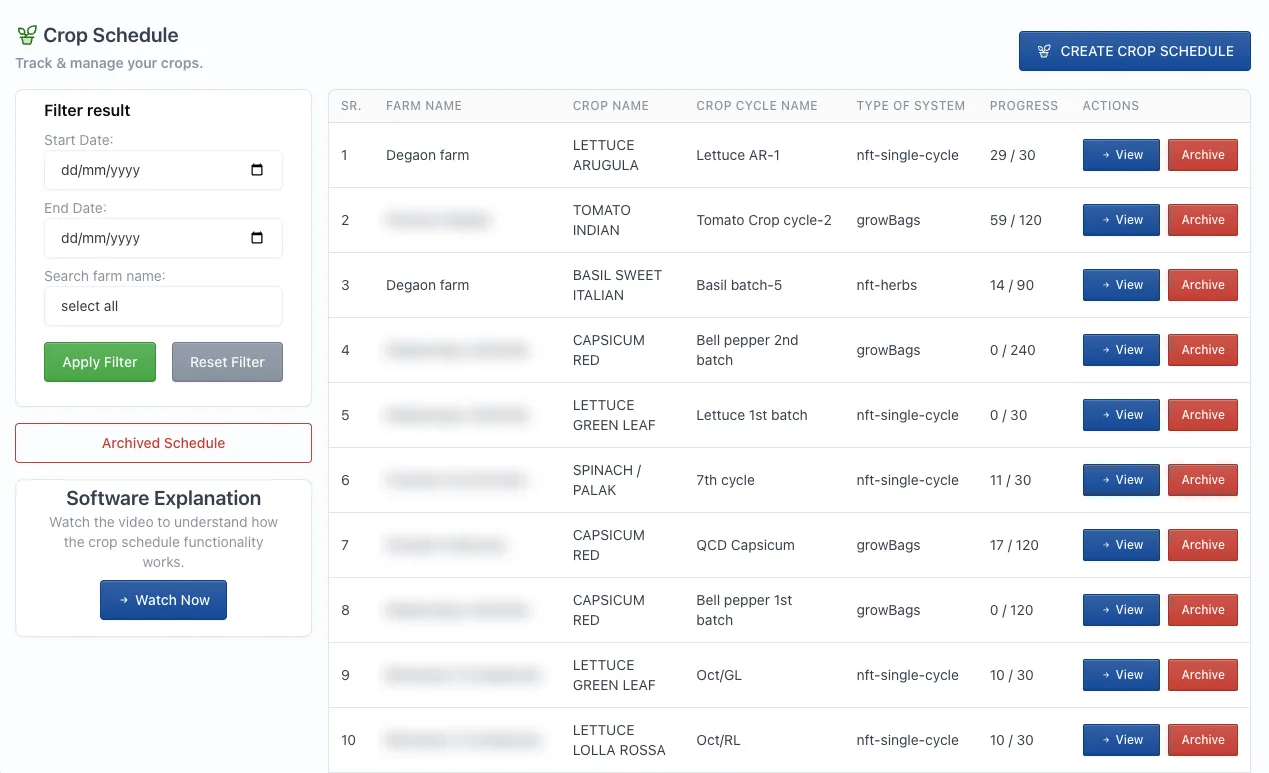
Every crop cycle gets a complete day-wise schedule with the right pH and EC range, irrigation timer and tank maintenance, so the team always knows what to do today.
- Target pH and EC for every day, for example pH 5 to 7 and EC 0.8 to 1.0 mS/cm
- Irrigation timer settings, such as 30 minutes on and 3 hours off
- Tank maintenance alerts like “flush and refill nutrients”
- Photo and notes for each day, ticked done with the date
- Progress by cycle, for example day 29 of 30
Crop schedule: how it works
Module 04
Harvest management
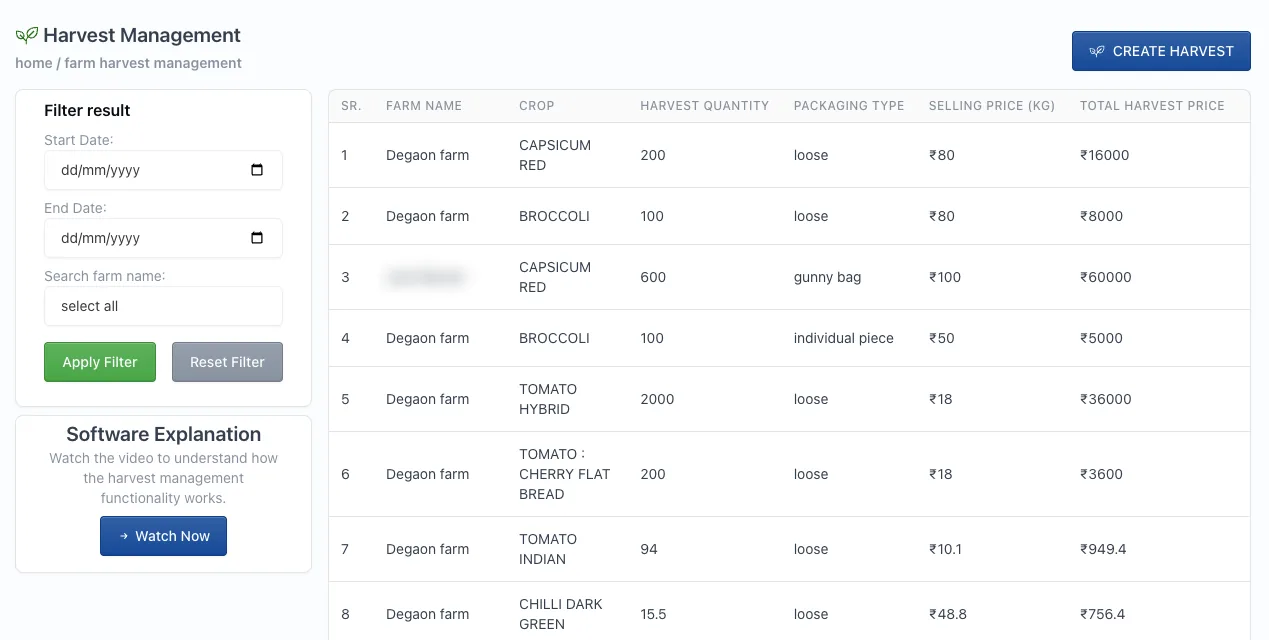
Record every harvest with quantity, packaging and selling price, and see what each crop is really earning across your farms.
- Harvest quantity for each crop and farm
- Packaging type: loose, gunny bag or individual piece
- Selling price per kg and total harvest value
- Filter by date range and farm
- Harvest history to plan your next crop and buyers
Harvest management: how it works
Also inside
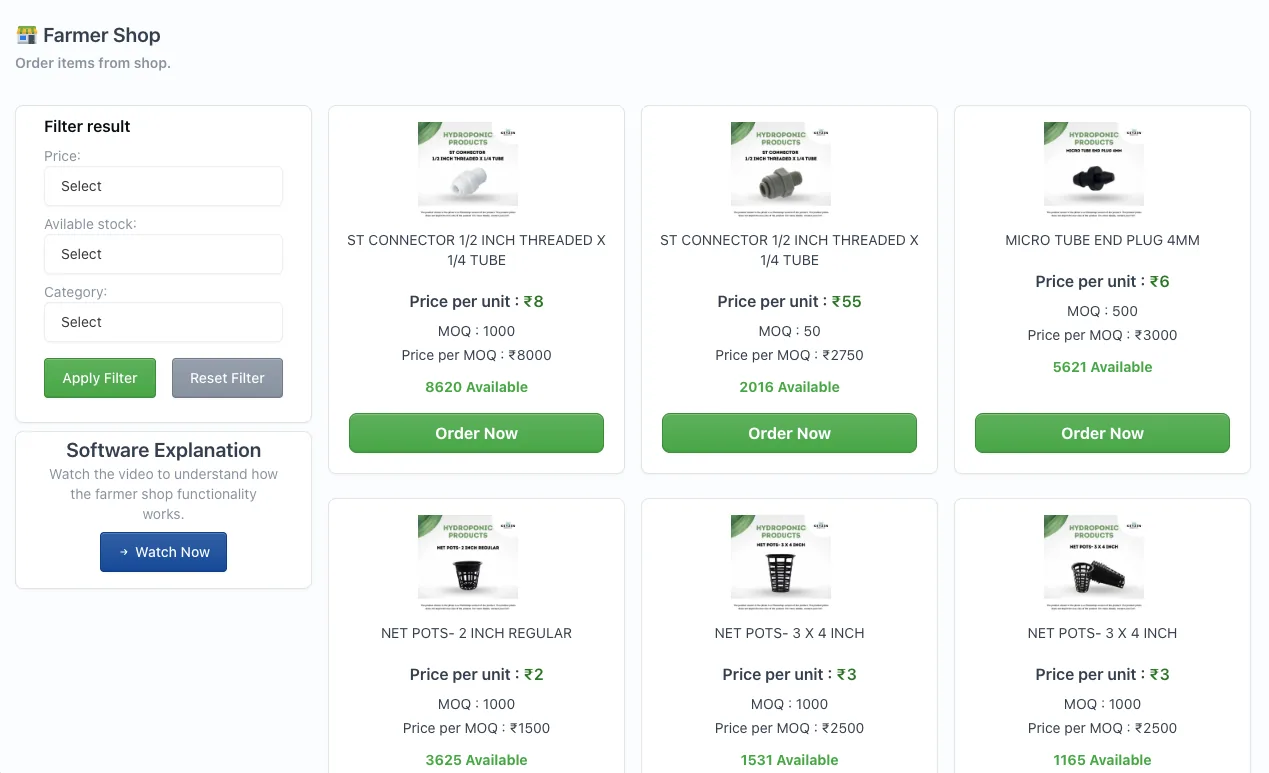
Farmer shop
Order connectors, net pots and other inputs from inside the software, with the price per unit, minimum order quantity and live stock shown for every item.
- Price per unit and price per minimum order
- Live stock available
- Filter by price, stock and category
Why it matters
What the software does for your farm
Everyone on the same page
You, your agronomist and your ground team see the same schedule, readings and tasks, so nothing is lost on phone calls.
Works with your automation
Connects with automation systems through APIs, including our own hydroBUILD, so your farm data and controls work together.
Years of farm data
Every batch, reading and harvest is kept year after year, ready to compare seasons and improve the next crop.
Local weather station
Integrates with a local weather station to help you automate irrigation and climate decisions.
70% more predictable yield
Farms that use our farm management software have seen 70% more predictable yields than farms that don’t.
Free with every farm
Included at no extra cost with every farm Kryzen builds, for as long as you farm with us.
Only for Kryzen clients, free with every farm
The farm management software is not sold separately. When Kryzen builds your farm, you, your agronomist and your ground team get access at no extra cost.
Who can use the farm management software?
It is available only to Kryzen Biotech clients. Every farm we build gets access for its owner, agronomist and ground team.
How much does it cost?
Nothing. The farm management software is free with every farm Kryzen builds.
Can I use it for a farm that Kryzen did not build?
No. The software is set up around Kryzen farm designs, crop plans and agronomy support, so it is offered only with Kryzen farms.
What does the software cover?
Nursery management, water management, crop schedules and harvest management, plus a farmer shop to order inputs and spares.
Can my agronomist and farm staff use it too?
Yes. You, your Kryzen agronomist and your ground team work from the same schedules, readings and tasks.
Can it connect to my automation system?
Yes. It can be integrated with automation systems through APIs, including our hydroBUILD automation.
Does it use weather data?
Yes. It integrates with a local weather station to help you automate your farm processes.
How long is my farm data kept?
Your data is kept for years, so you can compare seasons, crops and cycles whenever you need to.
How do I learn to use it?
Each module has its own explanation video, inside the software and on this page, and your Kryzen team trains you at handover.
How do I log in?
Kryzen clients log in at alpha.kryzen.com with the account our team sets up for your farm.
Talk to our team
Get a farm that comes with its own software
Tell us about your land, crops and budget. We design, build and support the farm, and set up the software for your team.